Linting and Formatting
The test action provides linting and formatting capabilities:
terraform fmtterraform validate- Optional:
- tflint
- trivy
- conftest
Run it after terraform-init and before plan.
- name: terraform init
  uses: suzuki-shunsuke/tfaction@latest
  with:
    action: terraform-init
    github_token: ${{ steps.token.outputs.token }}

- name: Lint
  uses: suzuki-shunsuke/tfaction@latest
  with:
    action: test
    github_token: ${{ steps.token.outputs.token }}

- name: Plan
  uses: suzuki-shunsuke/tfaction@latest
  with:
    action: plan
    github_token: ${{ steps.token.outputs.token }}
To start, let's disable tflint and trivy:
tflint:
  enabled: false
trivy:
  enabled: false
This enables terraform validate for validation and terraform fmt for automatic formatting.
terraform fmt
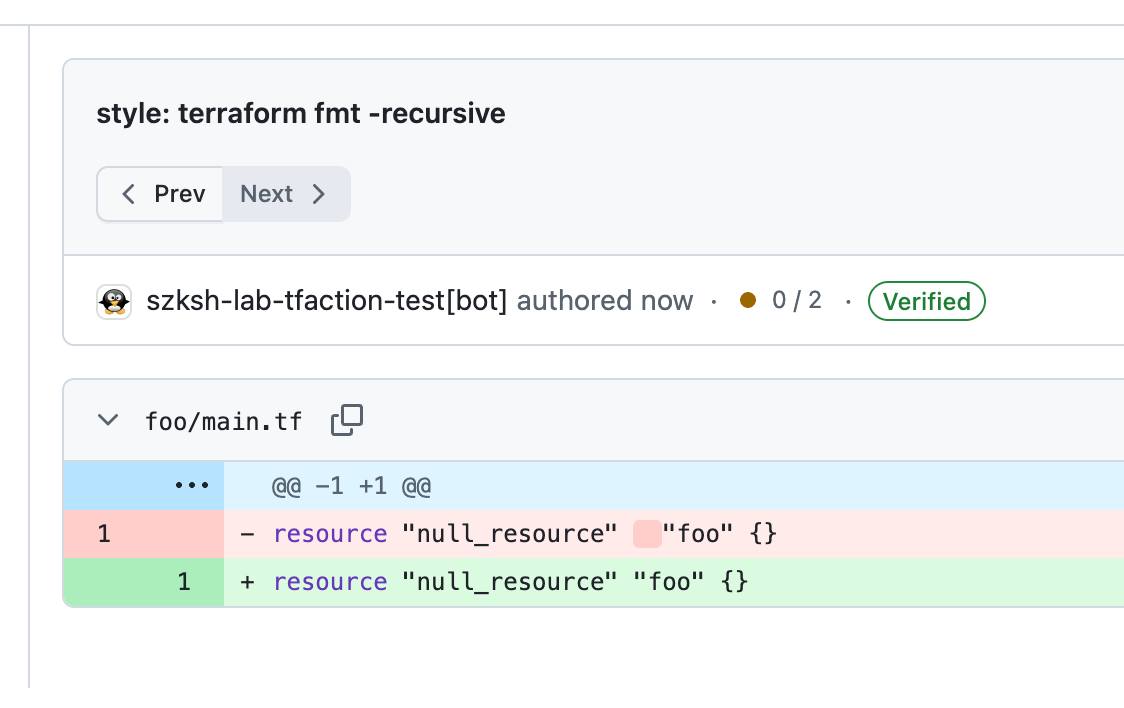
If the code is not formatted, terraform fmt will format it and automatically push a commit to the PR.
terraform-docs
terraform-docs is disabled by default. To enable it:
terraform_docs:
  enabled: true
Documentation will be automatically generated and updated. terraform-docs is installed automatically by tfaction.
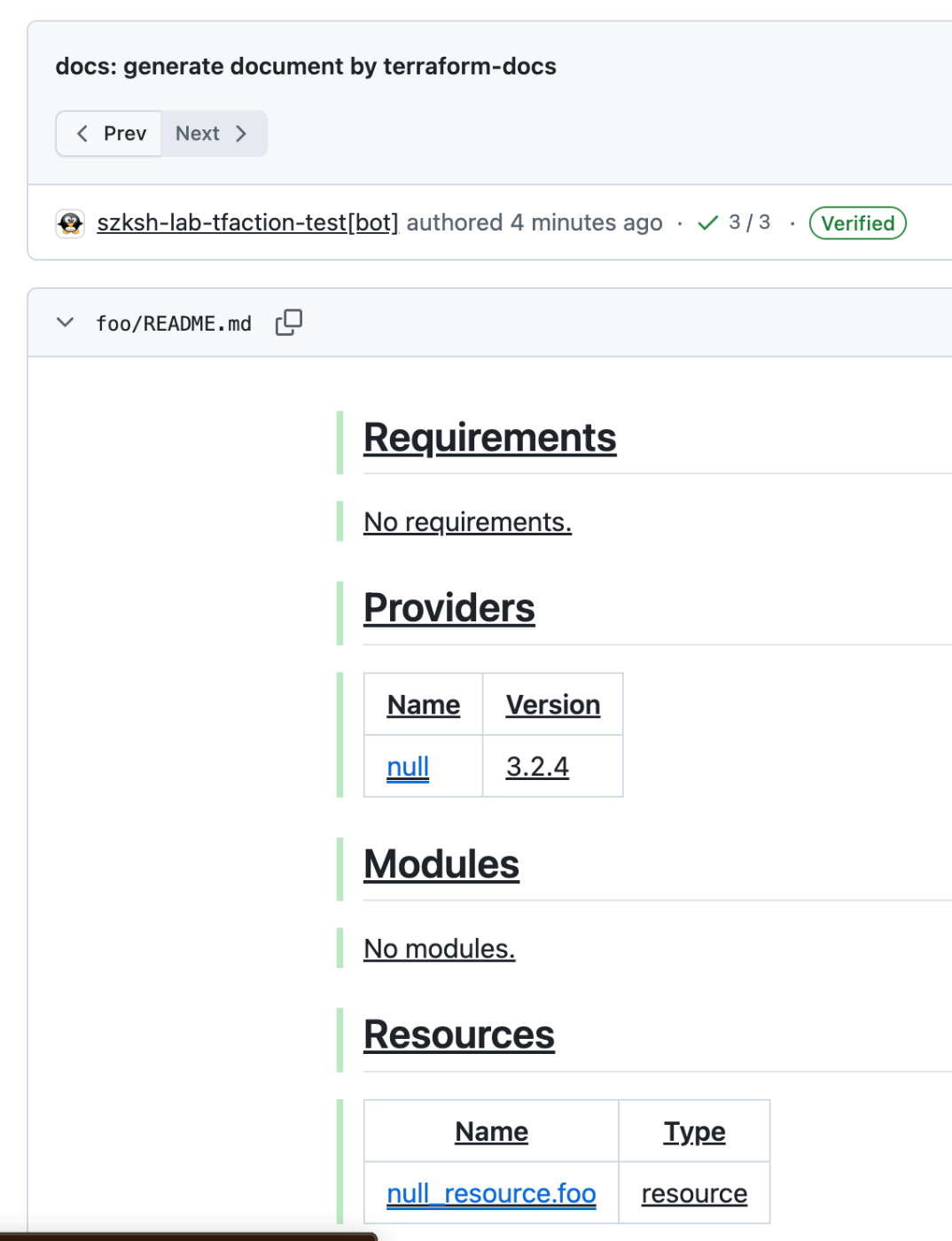
terraform-docs works without configuration, but if you want to customize it, create a configuration file at one of the following paths (in order of priority):
.terraform-docs.ya?mlin the root module.config/.terraform-docs.ya?mlin the root module.terraform-docs.ya?mlat the repository root.config/.terraform-docs.ya?mlat the repository root
tflint
tflint is enabled by default. You can also explicitly enable it in configuration:
tflint:
  enabled: true
tflint must be installed. Add it to aqua.yaml:
aqua g -i terraform-linters/tflint
packages:
  - name: terraform-linters/tflint@v0.61.0
tflint results are reported via reviewdog reviews.
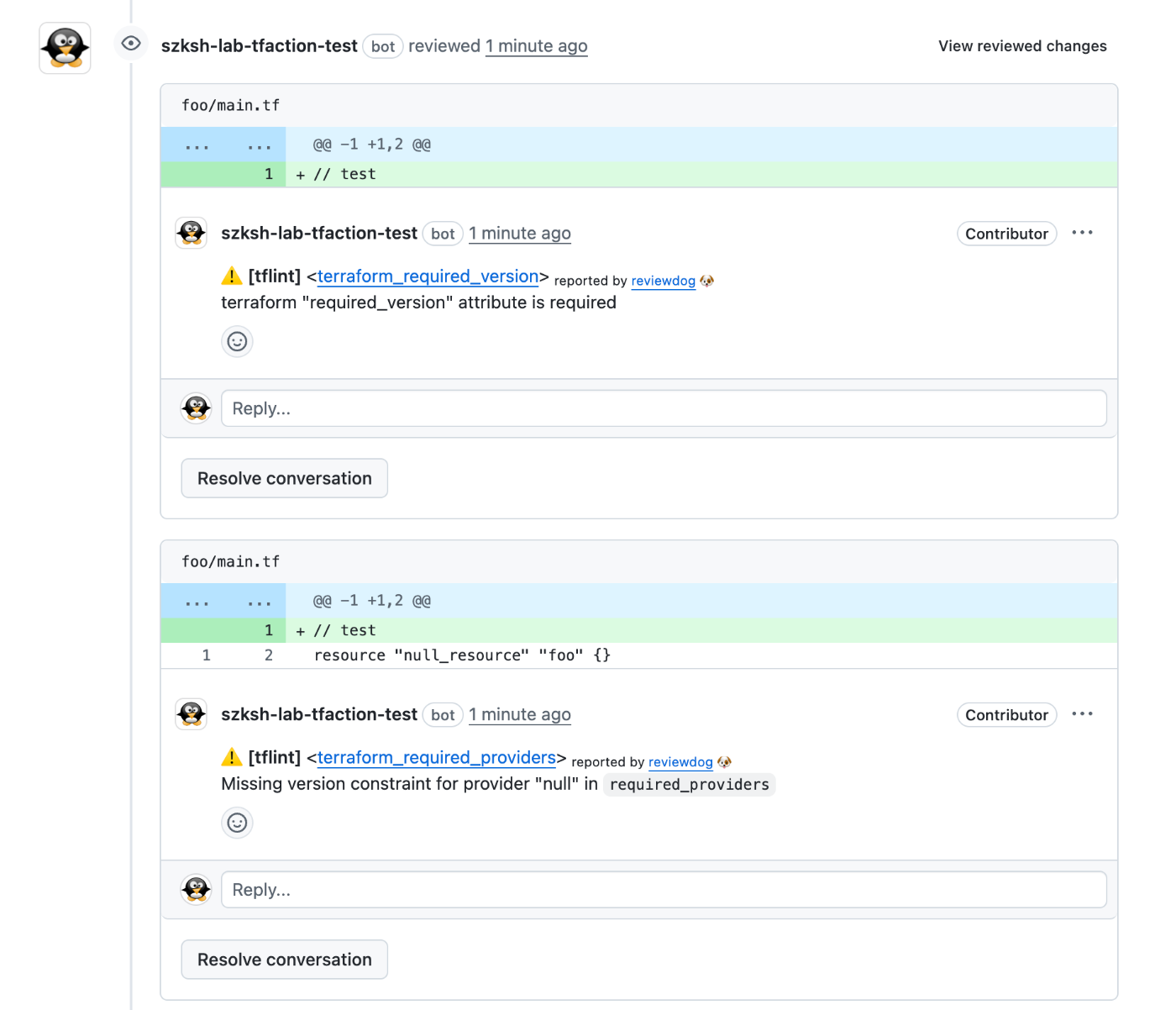
Automatic fixes via tflint --fix are also enabled by default. To disable them:
tflint:
  fix: false
Refer to the official tflint documentation for configuration file details.
If you want to share a tflint configuration across root modules, place the configuration file at the repository root and set the TFLINT_CONFIG_FILE environment variable:
env:
  TFLINT_CONFIG_FILE: ${{github.workspace}}/.tflint.hcl
trivy
trivy is enabled by default. You can also explicitly enable it in configuration:
trivy:
  enabled: true
trivy must be installed. Add it to aqua.yaml:
aqua g -i aquasecurity/trivy
packages:
  - name: aquasecurity/trivy@v0.69.1
trivy results are reported via reviewdog reviews.
reviewdog
Both trivy and tflint results are reported to the PR via reviewdog. You can configure reviewdog's command-line options:
tflint:
  reviewdog:
    filter_mode: added # Default is nofilter
    fail_level: error # Default is any
trivy:
  reviewdog:
    filter_mode: added # Default is nofilter
    fail_level: error # Default is any
The key setting is filter_mode.
The default nofilter targets all files in the root module.
On the other hand, added targets only changed files.
Which is better depends on your situation.
If you want strict policy enforcement, nofilter is appropriate.
However, retroactively applying policies to existing code can be difficult.
In that case, it may be more practical to use added and apply policies only to new code.
conftest
conftest runs in both the test and plan actions.
In test, it runs against HCL files. In plan, it runs against plan files.
Typically, running against plan files is preferable:
- You can apply policies based on the plan result (create, update, destroy)
- For example, apply a policy only to new resources, or apply a policy on destroy
- You can apply policies based on Terraform's computed values
However, running against HCL files can also be useful:
- Backend configuration is not included in plan files, so policies for it must be applied against HCL
- Since
terraform plancarries risks such as arbitrary code execution and credential exfiltration, you may want to validate HCL before runningterraform planto catch dangerous code
To run against HCL files, specify tf: true.
To run against plan files, specify plan: true.
If neither is specified, you can run conftest against non-Terraform files such as YAML or Dockerfiles.
conftest:
  policies:
    - policy: policy/tf
      tf: true
      id: tf
    - policy: policy/plan
      plan: true
      id: plan
    - policy: policy/yaml
      paths:
        - "*.yml"
        - "*.yaml"
.conftest.policies[] supports most options of the conftest test command:
conftest:
  policies:
    - policy: # array or string
        - policy/terraform
      data: # array or string
        - data/data.yaml
      fail_on_warn: true
      no_fail: true
      all_namespaces: true
      quiet: true
      trace: true
      strict: true
      show_builtin_errors: true
      junit_hide_message: true
      suppress_exceptions: true
      tls: true
      parser: hcl
      output: json
      namespaces:
        - main
In addition, there are several tfaction-specific settings:
id: Optional. An identifier for the policy. Required when you want to override a policy.plan: Set totrueto run against plan files. Default isfalse.tf: Set totrueto run against*.tfand*.tf.jsonfiles. Default isfalse.enabled: Default istrue. Can be used to disable a policy when overriding settings.